First, let's clear something up
Kali Linux doesn't make you a hacker. Running it doesn't do anything on its own. I say this because there's a certain type of person who installs Kali, changes their wallpaper to something that looks like a Matrix screensaver, and calls themselves a security researcher. That's not what this article is about.
What I'm arguing is that for a student studying cyber security, Kali is a genuinely better environment for your coursework, CTFs, labs, and professional development than Windows or a vanilla Linux distro. Here's why.
The tooling problem on other systems
When I was starting out, I was on Windows with WSL. Every lab exercise started with thirty minutes of "okay, how do I install this tool on WSL2". Metasploit needs dependencies. Aircrack-ng needs kernel modules that WSL doesn't support. Wireshark works but interface access is weird. Burp Suite runs fine but you're manually configuring proxy settings across browsers every time.
The core issue: most security tools are built for Linux. Some support Windows, most don't. When they do run on Windows, they often have reduced functionality - no raw socket access, no monitor mode for Wi-Fi adapters, no easy access to low-level network interfaces.
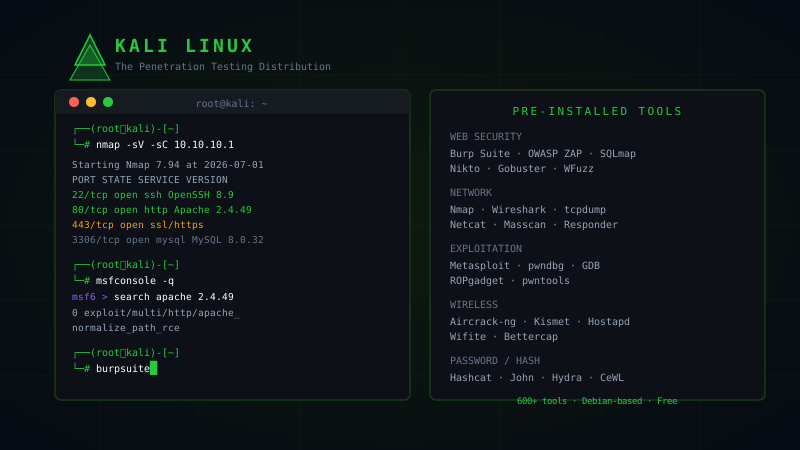
Kali ships with over 600 tools pre-installed and pre-configured. Metasploit, Burp Suite (Community), Nmap, Wireshark, Aircrack-ng, Hashcat, John the Ripper, Gobuster, SQLmap, Maltego, Nikto, Hydra - all ready to go. That's not just convenience. It's hours per week that you're not spending troubleshooting installation issues.
It forces you to actually learn Linux
This is the one people don't expect me to say. Running Kali daily forces Linux fluency in a way that nothing else does. You're using the terminal constantly. You're managing services, editing config files, dealing with file permissions, writing bash one-liners. After six months on Kali, you'll be comfortable with things that take Windows users years to pick up.
This matters for cyber security specifically because almost everything you'll work with professionally runs Linux. Web servers, cloud instances, embedded devices, containers - Linux everywhere. The comfort with the command line that you build by daily-driving Kali is directly transferable to real work.
CTF and lab compatibility
If you're doing HackTheBox, TryHackMe, PentesterLab, or PortSwigger Web Academy, the assumed environment is Linux. Writeups are written from a Linux perspective. Tool commands in tutorials assume Kali. When a writeup says msfvenom -p linux/x64/shell_reverse_tcp, running that on Windows is a detour.
The more time you spend fighting environment incompatibilities, the less time you spend actually learning the security concepts. Kali removes that friction.
The setup - you don't have to go full bare metal
I'm not saying you need to wipe your laptop and install Kali as your only OS. There are a few reasonable setups:
VirtualBox or VMware (easiest to start): Run Kali as a VM alongside Windows or macOS. Snapshot support means you can break things and revert. The limitation: no hardware Wi-Fi adapter access for wireless security labs, and performance overhead.
Dual boot: Kali on a separate partition. Best performance, full hardware access. Slightly more setup friction, but for daily use this is what I'd recommend if you're serious about it.
Bare metal on a dedicated laptop: A cheap secondhand ThinkPad running only Kali is an excellent setup for a student. Kali is lightweight enough to run well on older hardware.
WSL2 with Kali (Windows only): Better than nothing for learning commands and running many tools, but hardware access limitations apply. Not suitable for wireless security labs.
For most students, start with a VM, move to dual boot once you're comfortable.
Common misconceptions
"Kali is only for professionals." No. It's a distro. It's harder to misconfigure than a vanilla Ubuntu in some ways because security tools expect the root environment Kali provides.
"Running Kali will get you in trouble." Kali itself is legal everywhere. What you do with tools is subject to law - exactly the same as on any other OS. Kali doesn't lower your legal bar, it just has more tools pre-installed.
"You need to fully understand Linux before using Kali." You learn by using it. Kali taught me more practical Linux in three months than years of occasional use. Use it, break it, fix it, learn.
What you actually get from the switch
After switching to Kali as my main security environment, a few things changed. I stopped losing time to installation issues. My CTF workflow got faster because I wasn't constantly context-switching between environments. I got comfortable with tools I'd been putting off learning because they were annoying to set up. And I developed a feel for Linux system internals that directly improved my understanding of privilege escalation, persistence techniques, and system security.
The switch is low-risk. A Kali VM costs you nothing but disk space and thirty minutes to set up. Try running a few TryHackMe rooms from it. If it's not useful, delete the VM. My guess is you'll be using it for everything within a week.